
How to Adjust a Rental Car Seat, Steering Wheel and Pedals
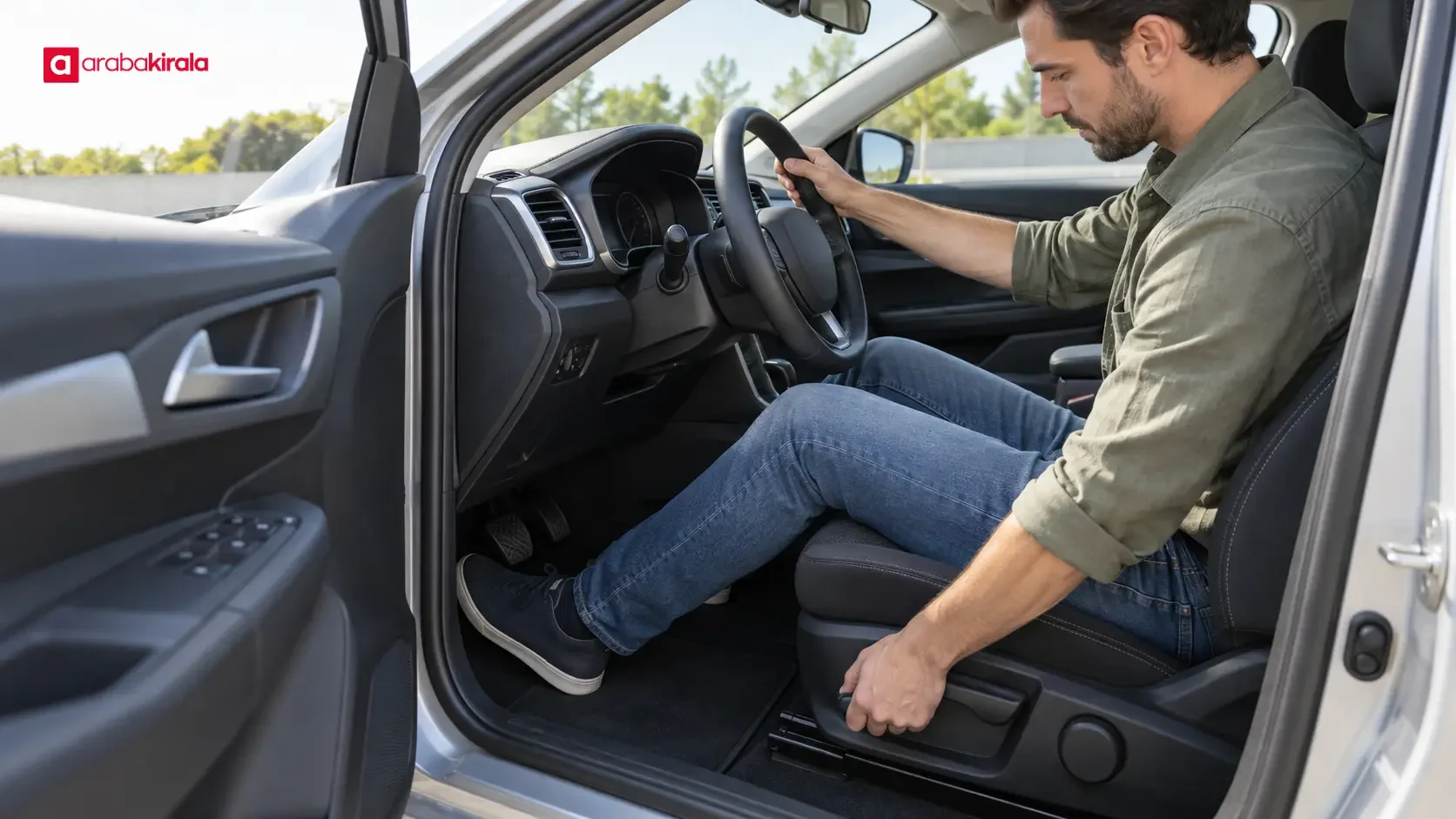
Rental car driving adjustment means setting the seat, steering wheel, head restraint and mirrors to suit your body before the car moves. A sound position is about more than comfort: it helps you reach the pedals with control, see the road clearly and use the controls without leaning forward. A different model may place the seat, pedals and switches in unfamiliar positions, so do not assume that your usual setup will transfer unchanged. Park on level ground, make adjustments while stationary and check your view again before setting off.
Start with a balanced driving position
Your back should rest against the seat, your shoulders should remain in contact with the backrest when you reach the steering wheel, and you should be able to operate the pedals without fully straightening your legs. Consider all three points together. Moving the seat close to the wheel can leave too little room for your knees. Moving it back to reach the pedals can make the wheel and other controls difficult to reach. Aim for a position in which you can steer and operate the pedals without lifting your body from the seat or stretching your shoulders forward.
Set the seat distance using the pedals
You should be able to press the brake and accelerator without shifting your hips forward or losing contact between your back and the seat. Adjust the seat so your knees remain slightly bent through the pedal movement, rather than locking straight. In an automatic car, check the brake pedal; in a manual car, also check that you can press the clutch through its full travel without your leg becoming tense. Make sure nothing under the seat or around your feet can interfere with the pedals. The car's floor mat should lie flat and be properly positioned. A loose or stacked mat can catch on a pedal.
Choose a suitable seat height and backrest angle
Set the seat height so you can see the road ahead and read the dashboard without straining. Leave adequate space between your head and the roof, and keep your posture upright and relaxed. A backrest tilted too far can make it harder to control the wheel and keep the belt correctly positioned on your body. Sit back, relax your shoulders and check that they stay against the backrest when you reach toward the top of the steering wheel. If the seat has lumbar support, use it to support the natural curve of your lower back without pushing you forward or forcing an uncomfortable arch.
Adjust the steering wheel and head restraint
If the steering wheel can be moved for height or reach, secure the seat first and then set the wheel to your seated position. With both hands on the wheel, your elbows should be slightly bent and your hands should have room to move comfortably. The wheel should not block the instrument panel; you should be able to read the speed display and warning indicators without changing how you sit. Check that the steering adjustment lever or control is locked afterward. Its location and operation vary by model. If the mechanism is unfamiliar, consult the vehicle handbook or ask the branch where you collected the car.
Position the head restraint so its top is close to the top of your head and it sits as close as possible to the back of your head. A restraint set too low or too far away may not support your head appropriately. It is not a substitute for the seat or a cushion for leaning back. Follow the vehicle manufacturer's instructions for height and, where adjustable, fore-and-aft position. Once you have made the adjustment, check that the seat itself is secured in place.
Set the mirrors from your final seating position
Adjust the mirrors only after the seat and steering wheel are set. That way, they reflect your actual driving position rather than a position you later change. In the interior mirror, aim to see as much of the rear window as possible. Set the side mirrors to show the areas beside and behind the car; avoid centring a large portion of the car's own side in the view. No mirror arrangement removes every blind spot, and mirrors do not replace direct observation. Before changing lanes, check the mirrors and make a brief shoulder check for areas they do not show, while staying aware of surrounding traffic.
Use the adjustment controls provided in the car, and take care to select the correct side if the mirrors are electrically operated. Do not force a mirror that resists movement. On cars with folding mirrors, cameras or driver assistance features, the additional controls and displays depend on the model and equipment. Do not rely on these features as your only source of visibility; continue to use the mirrors and check around the car directly.
Finish with the belt and cabin controls
Once the seating position is set, fasten your seat belt. Check that the shoulder section crosses your shoulder, does not cut into your neck and is not tucked beneath your arm. The lap section should sit across your hips rather than your abdomen, and the belt should lie flat without twists. If the belt height can be adjusted, set it for your body. Recheck its position after changing the seat or backrest, since those adjustments can change how the belt sits.
While parked, locate the gear selector, parking brake, indicators, lights and wipers. Look over the main dashboard symbols and any drive-mode controls. A phone, navigation screen or loose item should not obstruct your view or distract you once moving. Do not adjust the seat or mirrors in traffic or while the car is moving. If a change is needed, stop in a suitable safe place before making it.
Repeat the checks when changing vehicles
If you switch to another car during a rental, do not copy the previous car's seat, wheel and mirror positions. Seat height, pedal distance, steering reach and mirror angles differ between models. A saved electric-seat setting may belong to another driver, so confirm that it fits you before moving. Explore unfamiliar controls while the vehicle is parked rather than spending time looking at a screen once underway. If you cannot identify an adjustment control, ask the branch where you rented the car for help.
If you notice at collection that a seat or mirror mechanism does not work, tell the branch before setting off. Do not try to force it. A brief parked check reduces the need to change your position on the road and gives you a chance to get used to the controls. Set the pedals while wearing the shoes you expect to drive in, so you can judge reach and movement accurately.
Frequently asked questions
How close should the seat be to the steering wheel?
Choose a distance that lets you operate the pedals comfortably, keeps your knees slightly bent when braking and allows your back to stay against the seat. You should not need to stretch your shoulders forward to reach the wheel. There is no single measurement that fits every driver and vehicle; assess the pedals, wheel and view together.
Can mirror adjustment eliminate blind spots?
No. Mirrors improve your view of areas beside and behind the car, but some areas may remain out of sight. Check the mirrors before a lane change or manoeuvre, then look directly around you for blind spots. If the car has driver assistance systems, treat them as aids rather than replacements for checking your surroundings.
Should I adjust the seat or mirrors first?
Set the seat distance, height and backrest angle first, then adjust the steering wheel. Once your final seating position is established, set the interior and side mirrors. This order helps avoid setting the mirrors for a position you later change.
Can I adjust the seat or mirrors while driving?
Do not make adjustments that require you to look away from the road or focus on controls while the car is moving. If an adjustment is needed, stop somewhere safe, park the car and complete it. Check your mirrors and surroundings again before continuing.
The basic order for rental car driving adjustment is seat, steering wheel, head restraint, mirrors and seat belt. Taking a moment to check these in each new car helps you reach the controls and see around the vehicle from a position suited to your body. The location and operation of individual controls vary by model, so consult the handbook or ask the rental branch for help with the vehicle.
Legal Disclaimer: All content, articles and information on the Araba Kirala website are provided solely to inform users. No information shared on this website constitutes definitive advice or guidance. Araba Kirala Teknoloji A.Ş. and its authors cannot be held responsible for any direct or indirect damages arising from the application of information on the website. For all questions and requests regarding car rental, please contact the office from which you will rent your vehicle.










