
Car Rental Reservation and Vehicle Handover: Each Step Explained

Published: October 20, 2026 • Reading Time: 7 min • Last Updated: October 20, 2026
Follow the process from a car rental request to pickup: what to confirm in your booking, what to review at the branch, and how to inspect the vehicle before driving.
Contents
- Reservation and handover are different stages
- Set the trip details before booking
- Choose workable dates, times, and locations
- Match the vehicle category to your needs
- Review and keep the booking confirmation
- Prepare before heading to pickup
- Agreement and pickup at the branch
- Inspect the vehicle before driving
- Finish with basic driving setup
- Plan the return as part of the handover
- Frequently Asked Questions
Understanding the car rental reservation and handover process helps you plan pickup and spot important details before setting off. This guide explains what a reservation records, which details to confirm, what may happen at the rental branch, and how to check the vehicle at pickup. Specific documents, charges, and procedures depend on your booking and pickup location, so confirm those details with the branch you will use.

Reservation and handover are different stages
A reservation records a request to rent a vehicle for a stated period. It usually establishes the basic plan: pickup and return times, locations, and a vehicle category. A booking confirmation is useful for organizing the trip, but it does not mean that the rental agreement has been completed or that the keys have been handed over.
Handover is the physical pickup stage after the rental paperwork and other applicable steps. The branch may review driver details, the agreement, payment or security arrangements, and the vehicle’s condition. The order and requirements can vary by location and booking. Keep the confirmation accessible and ask the specific branch about anything that applies to your pickup.
Set the trip details before booking
Choose workable dates, times, and locations
Think through pickup and return together. Make sure your travel arrangements give you enough time to reach the pickup point. If the booking offers an airport or city location, check that the selected branch appears correctly in the confirmation. Similar location names can cause confusion, so confirm the address or meeting instructions before travel.
If a delay or schedule change is likely, contact the branch as soon as you know. The effect of arriving late, any waiting arrangements, and after-hours procedures are location-specific. Do not assume that one branch handles them the same way as another; get clear instructions for your own pickup.
Match the vehicle category to your needs
Consider passenger count, luggage, route, and parking when choosing a vehicle category. A category may not guarantee a particular make or model, so confirm what the booking describes and what vehicle will be available at pickup. If you need a child seat, an additional driver, a different return location, or other equipment, ask in advance whether it can be arranged and what terms apply.
Travelers arriving from abroad should confirm which driving licence and supporting documents the pickup location accepts. Requirements can depend on the driver and rental arrangement; guessing can cause delays. Ask the branch what each named driver needs to present for this booking.
Review and keep the booking confirmation
After submitting a request, save the booking reference or confirmation message. Check the renter’s name and contact details, dates, times, locations, and vehicle category. If you spot an incorrect name, date, or pickup point, request a correction before the day of collection. Matching the confirmation to the details discussed with the branch helps prevent avoidable confusion.
Read the quoted charges and understand what they cover, when payment is due, how optional services are priced, and what the change or cancellation terms say. These details are specific to the offer and location. Rely on the information in your own booking documents rather than assuming a general industry rule, and ask the branch to explain any unclear item.

Prepare before heading to pickup
- Keep the confirmation and the branch’s address or directions easy to access.
- Bring the identification and driving documents requested for the named driver; confirm acceptable document types with the branch.
- If the pickup time or location changed, check that the updated details are recorded.
- If you requested an additional driver, optional service, or special equipment, confirm how it will be handled at pickup.
- Allow enough time to reach the branch and complete the handover steps.
This preparation does not mean every branch requires the same documents or takes the same amount of time. It gives you a chance to learn the requirements for your booking and reduce decisions that would otherwise arise at the counter.
Agreement and pickup at the branch
When you arrive, compare the reservation details with the information the staff member has. Check that the driver and rental period are entered correctly and that the times match your plan. Read the agreement before accepting it. Items such as charges, optional services, any security or payment arrangement, fuel policy, mileage terms, return location, and what to do if you are delayed may be specific to the agreement and branch. Ask for an explanation before signing or confirming anything you do not understand.
Do not start using the vehicle until the required paperwork and handover steps are complete. If a service you expected is missing from the record, raise it with the staff member. When spoken information differs from the written terms, ask which terms apply and request a clear written record.
Inspect the vehicle before driving
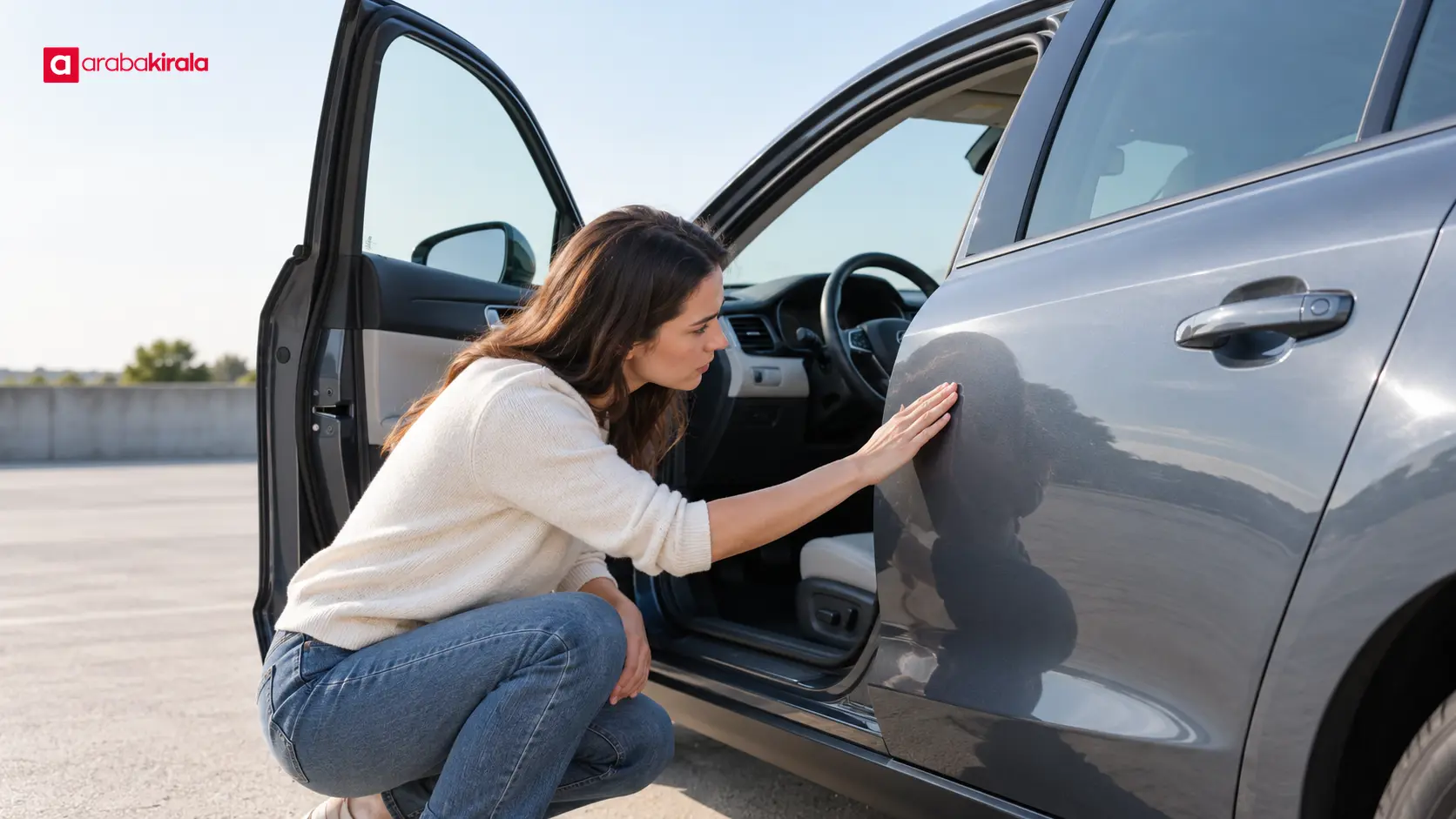
Walk around the vehicle and look for visible scratches, dents, cracked glass, or other damage. Check the mirrors, tyres, lights, and interior for noticeable damage or stains. If the branch uses a condition form, photographs, or a digital check-in record, make sure anything you identify appears in that record. If personal photos are permitted, they can help you keep your own notes, but they do not replace the branch’s formal check-in process.
Compare the fuel and odometer readings with the handover record. These readings show the recorded state at pickup and provide a basis for comparison at return. If a reading does not match, tell the staff member before moving the vehicle and ask for the record to be corrected. Ask for help before driving if you notice a warning light, missing equipment, or a function that does not work.
Finish with basic driving setup
Adjust the seat, mirrors, and steering wheel, and locate the lights, indicators, wipers, and essential controls. If the model is unfamiliar, ask how to select gears, apply the parking brake, or open the fuel flap. Set navigation before moving and keep your phone out of your hand while driving. A brief orientation can make the first drive easier to manage.
Plan the return as part of the handover
The process continues after pickup. Confirm the return date, time, and location, fuel arrangement, vehicle drop-off steps, late return reporting, and key return method. If you plan to return to a different location or outside normal opening hours, ask the relevant branch whether that arrangement is available and what steps to follow.
Ask how the odometer and fuel readings, vehicle condition, and key return will be recorded. Keep any return record or completion document you receive. If you notice damage or a fault at return, report it to staff and ask that it be recorded. Clear pickup and return records make it easier to compare the vehicle’s condition and readings at both ends of the rental.
Frequently Asked Questions
Does a booking confirmation mean I can definitely collect the car?
It shows that the reservation request was recorded; it is not the same as completing the rental handover. Check the vehicle category, time, location, and any special requests against the confirmation, then ask the pickup branch about the remaining steps.
What should I do if I may arrive late?
Contact the branch handling the booking as soon as you expect a delay. Waiting arrangements and the effect on a reservation can vary by location, so get a clear answer about the revised arrival time.
What if I find damage during pickup?
Show it to staff before driving and ask for it to be added to the vehicle condition record. Check that the record reflects what you saw; keep personal photos if permitted. Wait for the record to be corrected before accepting the vehicle.
Will I receive the exact model shown or selected?
A booking may refer to a vehicle category rather than guarantee one exact model. Ask the branch what category is recorded and whether the vehicle offered meets any essential needs you have.
Can another person drive the rental car?
Additional-driver arrangements and required documents depend on the agreement and branch. Identify any other intended driver before pickup and do not let someone drive unless the rental terms allow it.
What should I check just before leaving the branch?
Review driver and booking details, dates and locations, charges and agreement terms, fuel and odometer readings, and any existing vehicle damage. Resolve unclear items with staff before setting off; that is the most useful final step before the journey begins.
Legal Disclaimer: All content, articles and information on the Araba Kirala website are provided solely to inform users. No information shared on this website constitutes definitive advice or guidance. Araba Kirala Teknoloji A.Ş. and its authors cannot be held responsible for any direct or indirect damages arising from the application of information on the website. For all questions and requests regarding car rental, please contact the office from which you will rent your vehicle.












