
How Does an EV Charging Planner Work? Arrival Charge and Route Estimates
Published: October 16, 2026 • Reading Time: 7 min • Last Updated: October 16, 2026
Learn how an EV charging planner estimates route energy, arrival charge and charging stops, what can change those estimates, and how to prepare for a rental EV trip.
Contents
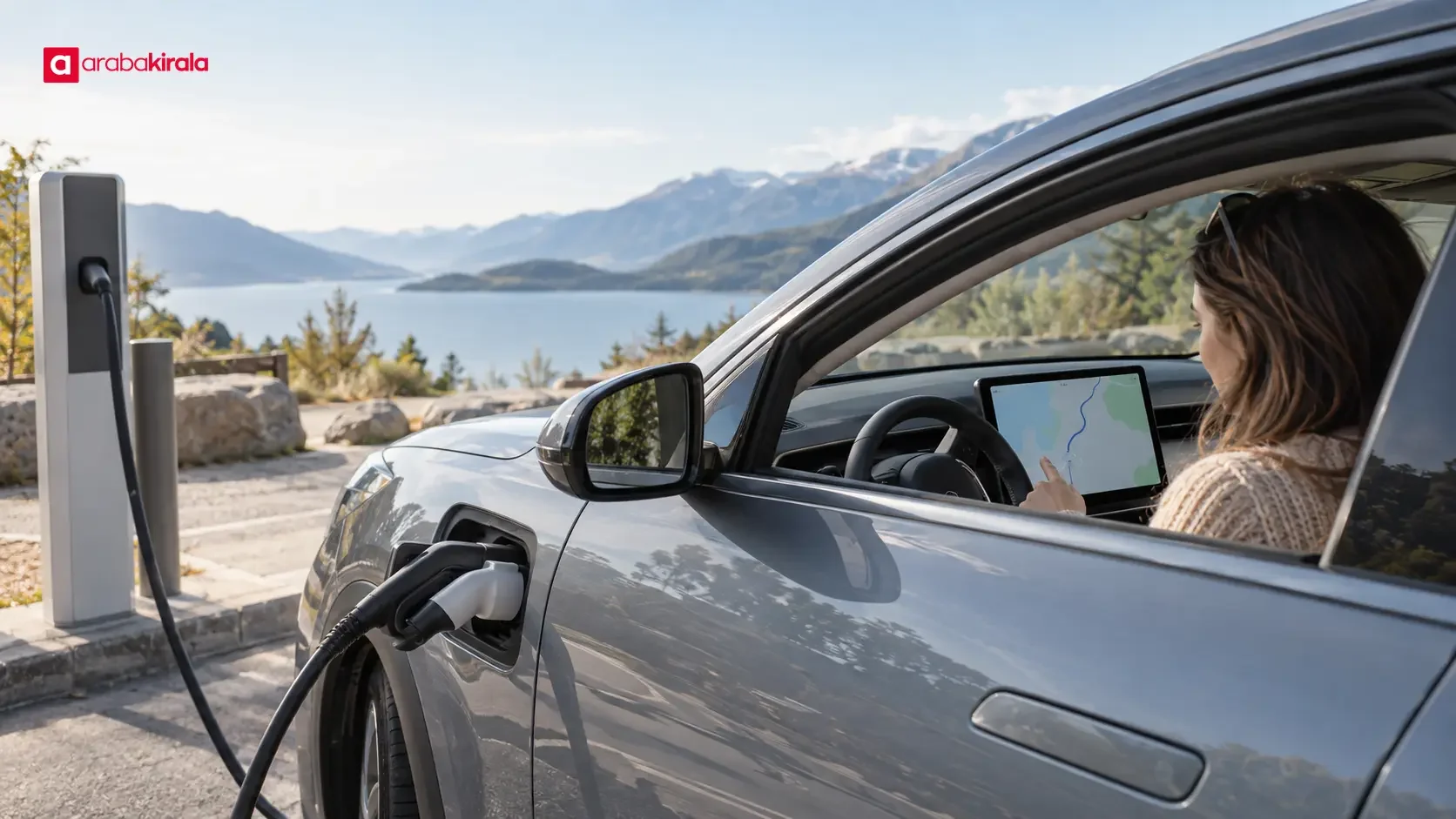
An electric vehicle charging planner combines navigation with an estimate of how much battery energy a route will use. It can show the charge level expected at your destination and suggest charging stops when the current charge may not be enough for the planned trip. This guide explains what arrival charge means, which driving conditions can change the estimate, how to assess a proposed stop, and what to check before taking a rental EV on the road.

What does a charging planner do?
A charging planner brings together a route calculation and information about the vehicle’s battery and energy use. After you enter a starting point and destination, it evaluates the distance and road route against an estimate of the vehicle’s consumption. It may display the energy expected to remain on arrival. If reaching the destination on the current charge does not look feasible, it may add one or more charging stops to the route.
This is different from a map that simply lists chargers nearby. A list helps you find locations; a route planner estimates where a stop could fit into your journey. Depending on the vehicle, software, region and connectivity, the display may also include an estimated charge level at a stop or a suggested charging time. The available details vary, so check the vehicle’s own manual for the features it supports.
How to read arrival charge
Arrival charge is the predicted amount of energy remaining in the battery when the vehicle reaches the selected destination. It may appear as a percentage, a range estimate or a visual gauge. It is calculated from the information available at the time, so it is not a promise of the exact charge you will have at the end of the drive. A change of route, heavier traffic or different driving conditions can change the estimate.
Rather than treating the number as a simple pass or fail, consider that it can move and look at your next opportunity to charge. If your destination has no charging access, think about the distance from the expected arrival charge to a suitable charger you can reach afterward. On a short urban drive, the estimate can help you understand likely consumption. On a longer trip, it can help organize the sequence of stops.
What affects route and energy estimates?
Energy use depends on more than distance. Speed, acceleration, hills, traffic, outside temperature, cabin heating or cooling, road surface, vehicle load and tire condition can all matter. As a result, two drives covering the same distance may use different amounts of energy. The planner does not necessarily measure or account for every factor in the same way. A difference between the estimate and actual consumption does not, by itself, mean the vehicle has a fault or the calculation is broken.
At higher speeds, air resistance can increase energy use. Long climbs can draw more energy from the battery; some vehicles can recover part of that energy on descents. Cold or hot weather can affect the energy needed by the battery and cabin. Heating and air conditioning also add demand. There is no single adjustment that applies to every vehicle and trip, so use the vehicle’s current display and owner’s manual as your practical reference.
If the planner updates during the drive, check it when safely stopped. If the predicted remaining charge is falling faster than expected, it may be practical to combine a rest or meal break with a suitable charging stop. Avoid changing settings or handling the screen while driving. Pull over safely or ask a passenger to help if the route needs to be revised.

Charging stops and charging time
When a planner suggests a stop, the pin on the map is only one part of the decision. Check how the charger is reached from your route, whether its connector works with the vehicle, what charging type is available, and whether current status information indicates that it is operating. A location appearing on a map does not establish that it will be working or suitable in every circumstance. Charger information can depend on the service and connectivity, so review current details before setting out or during a break.
Charging time varies with battery charge and temperature, the power the vehicle can accept, the charging unit’s capacity and other technical conditions. Charging speed can slow as the battery fills, so do not treat a displayed estimate as a fixed break duration. A planner’s recommended amount of charge may be based on what it predicts is needed to reach the next stop or destination. Do not assume that every trip requires a full battery; follow the charging guidance in the vehicle’s manual.
Before connecting, look over the cable and connector for visible damage and do not use equipment that appears damaged. Starting a session, connecting the vehicle and paying may follow different processes at different sites. Reviewing the steps for a charger you have not used before can help make the stop smoother.
Before driving a rental electric car
Rental vehicles can differ in model, starting battery level and navigation features. At pickup, learn the connector type, how to read the range display, how to open the route planner and how the vehicle starts a charging session. A quick review of the vehicle’s manual can prevent you from trying to learn an unfamiliar screen after setting off.
Ask the rental branch about details tied to your reservation or that location, such as charging access, payment steps, the vehicle’s handover charge and any return expectations related to charging. These details should not be assumed to be the same for every vehicle or branch. Including them in your trip plan makes it easier to estimate the time needed for stops and the return journey.
This preparation sequence can help:
- Enter your destination in the vehicle navigation and review the proposed route.
- Check the starting battery level and predicted arrival charge.
- Confirm the location and vehicle compatibility of suggested charging stops.
- Choose an alternate stop for a long trip and allow for live station information to change.
- Learn the charging and payment steps for the vehicle you are renting.
Using a planner with a map app
A phone map can add context about routes, traffic and charging locations, but it may not use the same vehicle data or update at the same rate as the in-car planner. If arrival time or energy estimates differ, consider which one has information about the vehicle model and current battery level. The in-car estimate is generally tied to the vehicle’s own energy display, while external apps can depend on the information entered and the vehicles they support.
Do not treat either source as infallible. Check whether the charging locations are reachable and the route is practical. If connectivity drops, map and charger details may no longer be current. Knowing your main route and important charging options before departure makes it easier to respond to a temporary technology issue.
Summary and next step
An EV charging planner combines a route with predicted energy use to estimate arrival charge and identify possible stops. Its results can change with the road, weather, speed and vehicle use. For your next trip, enter the destination in the vehicle, review the arrival estimate, check the suggested chargers, and clarify any vehicle or branch-specific charging details before leaving in a rental EV.

Frequently Asked Questions
Is the predicted arrival charge exact?
No. It is an estimate based on the route and vehicle information available. Changes in speed, traffic, weather, hills or cabin climate use can affect the energy left at arrival. Use it as an indicator to monitor during the journey, not as a guarantee.
Why might the planner add a charging stop during a trip?
If actual energy use differs from the initial estimate or route conditions change, the prediction for reaching the destination can change too. The system may suggest a suitable charging location or recalculate the route. Check the location and its current availability when safely stopped.
Does a planner show whether a charger is free?
That depends on the vehicle and the station information available to its navigation service. Some displays may include operating or availability information, while others show only locations. A map pin alone does not prove that a charger is free or working at that moment.
Can cold weather affect the estimate?
Yes. Temperature can affect battery and cabin energy needs, which can create a difference between estimated and actual range. The size of the effect depends on the vehicle, trip and use. Monitor the vehicle’s range display and keep charging options in mind on longer routes.
Do I need to charge to 100% before every trip?
That depends on the manufacturer’s guidance, your route and the charging options available. There is no single charge target for every trip. Follow the vehicle manual’s battery guidance and consider the route needs shown by the planner together with your next charging opportunity.
Legal Disclaimer: All content, articles and information on the Araba Kirala website are provided solely to inform users. No information shared on this website constitutes definitive advice or guidance. Araba Kirala Teknoloji A.Ş. and its authors cannot be held responsible for any direct or indirect damages arising from the application of information on the website. For all questions and requests regarding car rental, please contact the office from which you will rent your vehicle.












