
Rental Car Climate Controls: Learn the Vents and Air Conditioning
Published: October 27, 2026 • Reading Time: 7 min • Last Updated: October 27, 2026
Learn how rental car vents, fan speed, temperature, airflow direction and demisting controls work before you drive, with practical steps for comfortable and safe use.
Contents
Before driving a rental car, take a moment to locate the cabin vents and learn the climate controls. Knowing the difference between fan speed, temperature, airflow direction and air conditioning can make the cabin more comfortable and help you respond to window fogging without searching for unfamiliar controls on the road. This guide explains the basics and offers a short parked-car check you can complete before setting off.

Ventilation and air conditioning do different jobs
Ventilation moves air through the cabin, either by drawing in outside air or recirculating cabin air. The fan determines how strongly air comes through the vents. Air conditioning can cool the air and, in suitable conditions, help reduce its moisture. The temperature setting, fan speed and airflow direction work together, but they are separate controls. Changing the selected temperature does not necessarily change fan speed, and changing the direction does not change the temperature target.
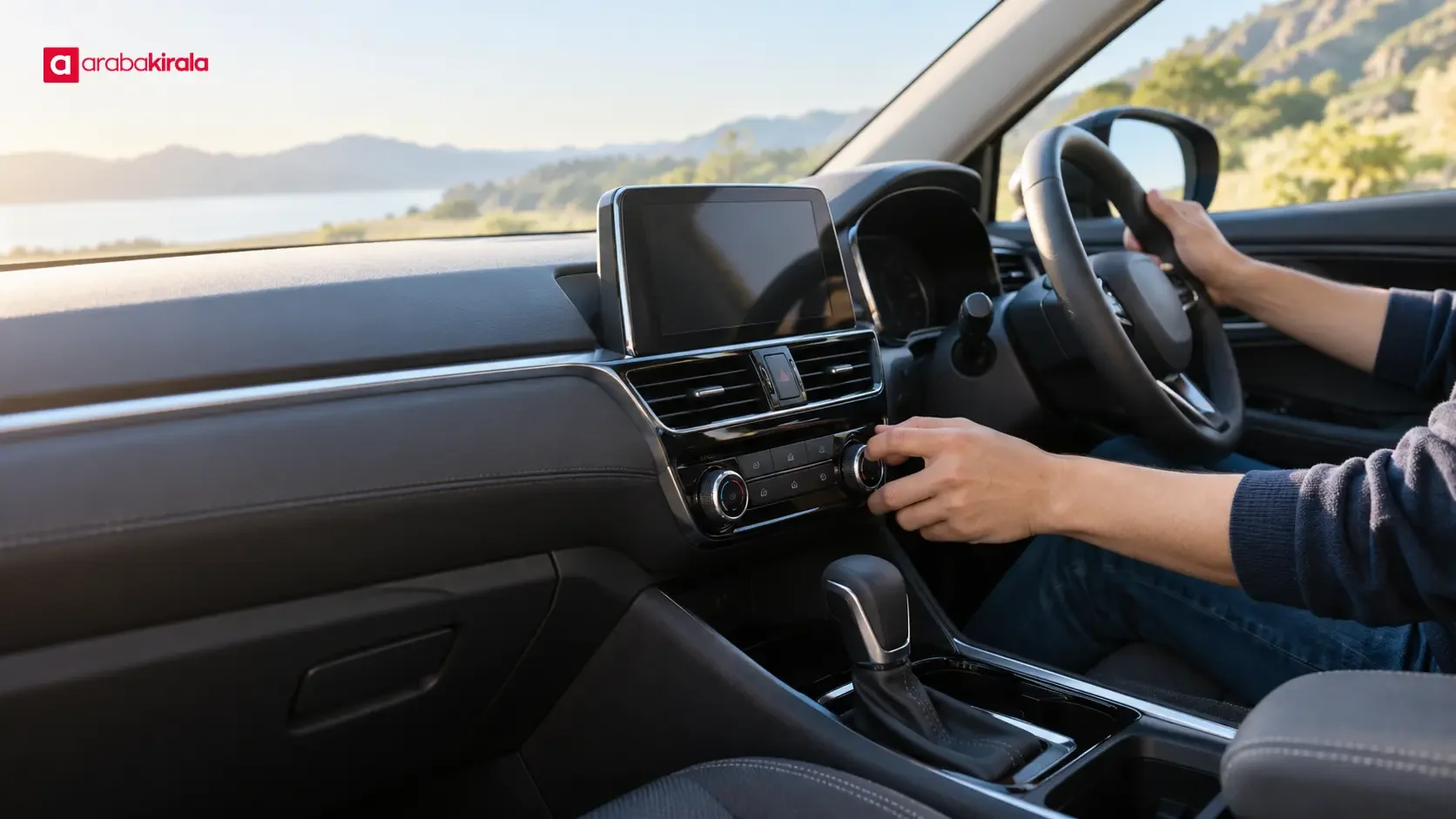
Controls may be physical buttons, dials or touchscreen menus. Some cars have separate settings for temperature and fan speed; others offer automatic climate control. In automatic mode, the system adjusts fan speed and distribution to maintain a selected temperature. It is still useful to know how to select a windshield demister, choose outside air or recirculation, and direct air toward the face or footwell.
Identify the controls while the car is parked
Look over the center console and dashboard before joining traffic. Find the vents and check how their adjustable vanes move and close. Directing air across the cabin can be more comfortable than aiming it straight at a passenger. Keep papers, bags and other objects from blocking vents, and make sure nothing obstructs your view or access to driving controls.
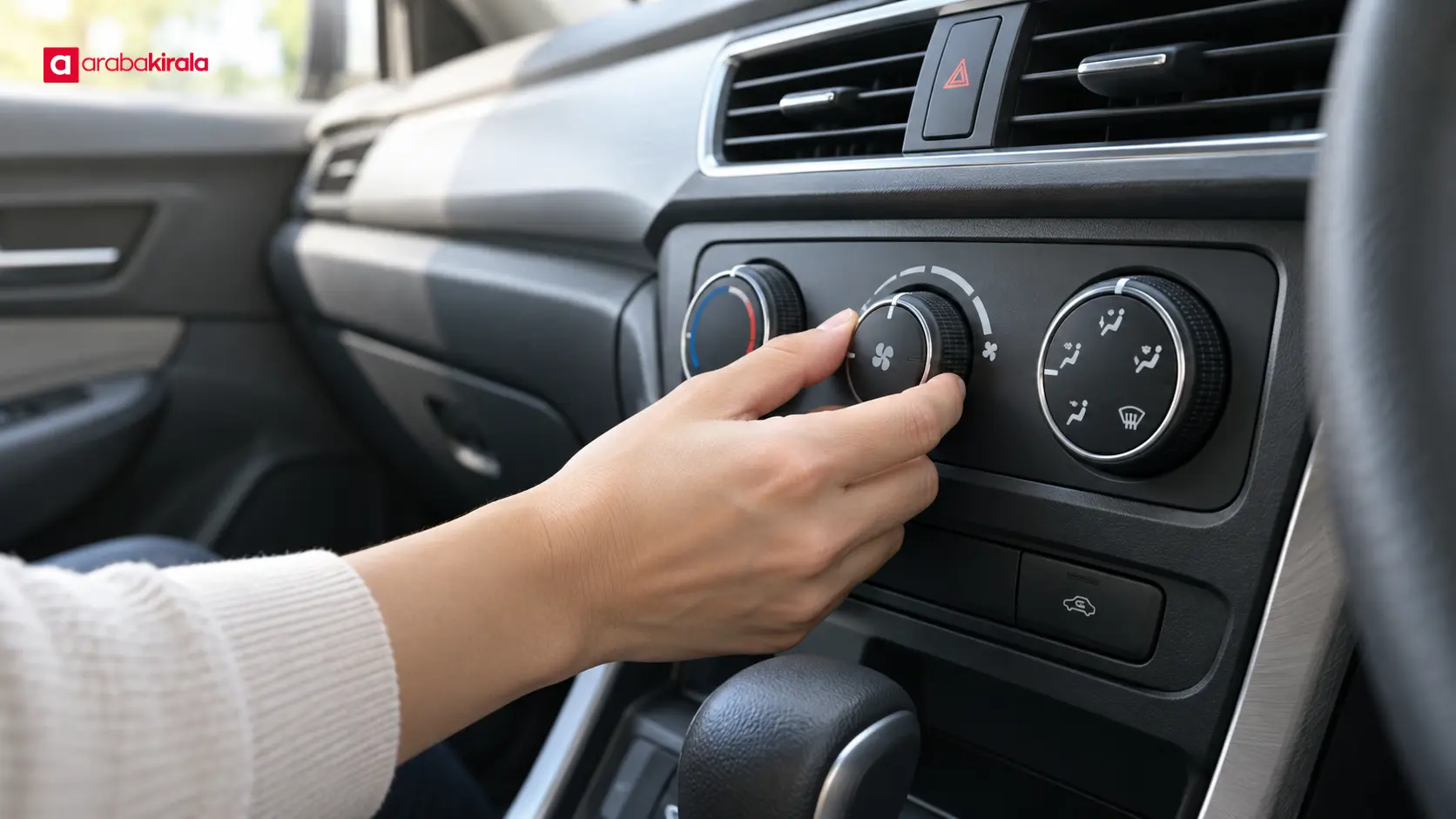
- Fan icon or level: Indicates how strongly the system is blowing. A higher setting increases airflow and may also increase fan noise.
- Temperature setting: Sets the desired cabin temperature. It may appear as a number, warm and cool markers, or separate driver and passenger settings.
- Airflow direction: Sends air toward the face, footwell or windshield. Some systems allow more than one direction at once.
- A/C button: Activates the air conditioning function. A light or display icon may indicate its status, though the display varies by vehicle.
- Air recirculation: Reuses air already in the cabin and limits outside air intake. It is useful in some conditions, but it does not provide a continuous supply of fresh outside air.
- Windshield demister: Directs airflow to the windshield. The rear window may have a separate heating control.
Rather than memorizing every symbol, briefly change one setting while parked and notice which vents respond. Do not browse touchscreen menus while moving. Use only controls you can reach without taking attention from driving; stop somewhere safe before making several adjustments or exploring an unfamiliar menu.
When to use outside air or recirculation
Outside-air mode brings air into the cabin from outdoors. Recirculation moves cabin air around again. If dust, smoke or an unpleasant odor is outside, recirculation may be useful for a short period, but it restricts fresh air intake. Leaving it on continuously can make the cabin feel stale and may contribute to window fogging, particularly with several occupants. When conditions allow, switch back to outside air and keep the vents unobstructed.
Look for a symbol showing a car and an arrow to identify the recirculation control. If the icon or menu label is unclear, check the vehicle handbook. If no handbook is available, ask the rental branch about the control before setting off. The best air setting depends on the conditions around the car; one mode is not right for every part of a journey.
Balance temperature, fan speed and airflow
Comfort usually does not require setting every control to its maximum. Choose a comfortable temperature, then direct the air where it is needed. If the cabin is hot, briefly opening the windows while the car is stationary can let built-up warm air escape. Close them before driving and set the system as needed. In cold weather, increasing temperature and fan speed gradually can avoid an uncomfortable blast of air.
If direct airflow feels unpleasant, turn the vent vanes upward or to the side. When passengers prefer different temperatures, check whether the car has separate driver and passenger controls. If rear vents are present, make sure they are open when rear passengers need airflow. When you need to change settings repeatedly, separate the temperature adjustment from the fan and direction controls to identify which one addresses the issue.
Air conditioning can affect fuel use and engine load, with the effect varying by vehicle, weather and how the system is used. There is no single consumption figure that applies to every car. Consider comfort together with the visibility conditions that require clear windows. The fan can circulate air even when A/C is off, but that is not the same as the air-conditioning function's moisture-reducing effect.
What to do when windows fog up
Fog on the windshield can limit visibility. If it appears, avoid experimenting with unfamiliar settings while driving. Pull over in a safe place, select the windshield demister and direct airflow toward the glass. Some cars automatically activate air conditioning in this mode; check the panel indicator to see what the system has selected. Outside air may help replace humid cabin air. Keeping the glass clean and dry can also help reduce fogging.
Use the rear-window heater, if fitted, to clear the rear glass. This is separate from the control that directs air to the windshield. If visibility does not clear sufficiently, do not continue driving. Stay in a suitable safe place and consult the handbook or ask the branch that supplied the car for guidance. Wiping the glass by hand or driving with a partly obscured view is not a safe solution.
A brief pickup check
Before driving away from the pickup location, complete these checks:
- Locate the front and rear vents and adjust their direction.
- Identify the fan, temperature, A/C and airflow-direction controls.
- Find the control that switches between recirculation and outside air.
- Distinguish the windshield demister from the rear-window heater.
- Explore touchscreen climate menus only while the car is parked.
- If a control does not work, is unclear or makes an unexpected sound, tell the rental branch before setting off.
This brief check can reduce the temptation to search a screen or unfamiliar button in traffic. If the climate system does not appear to work normally, seek help from the location where you collected the vehicle instead of attempting a repair. For vehicle-specific instructions or pickup details, contact the rental office.
Summary and next step
Rental car climate control is more than choosing cool air: the fan sets airflow strength, the temperature control sets a target, and direction controls determine where air goes. Before departure, locate the vents, outside-air and recirculation settings, and window demisters. Try the controls while parked, and ask the rental branch about any function that is unfamiliar or not working. A few minutes of preparation can make it easier to manage comfort without distraction during the journey.

Frequently Asked Questions
What is the difference between the A/C button and the fan control?
The fan moves air through the system and out of the vents. A/C activates the air-conditioning function, which can cool air and help reduce moisture in suitable conditions. The two controls serve different purposes.
Should I leave air recirculation on all the time?
Recirculation reuses cabin air and limits outside-air intake. Continuous use can make the cabin feel stale or contribute to window fogging, so switch to outside air when conditions allow.
Can I clear fogged windows with A/C switched off?
The fan can direct air toward the glass, while air conditioning may also help reduce moisture. If fog remains, pull over safely and check the windshield demister setting and the vehicle handbook.
Can I adjust climate controls while driving?
A brief change to an easily reached control may be manageable if it does not take your attention from the road. Stop safely before searching touchscreen menus or trying several unfamiliar controls.
What should I do if I cannot find a control or the system seems faulty?
Check the climate section of the vehicle handbook while parked. If the function remains unclear or does not work, contact the branch where you collected the car for guidance about that vehicle.
Legal Disclaimer: All content, articles and information on the Araba Kirala website are provided solely to inform users. No information shared on this website constitutes definitive advice or guidance. Araba Kirala Teknoloji A.Ş. and its authors cannot be held responsible for any direct or indirect damages arising from the application of information on the website. For all questions and requests regarding car rental, please contact the office from which you will rent your vehicle.












