Electric Vehicle Scheduled Charging: A Daily Plan

Published: November 13, 2026 • Reading Time: 6 min • Last Updated: November 13, 2026 • Author: Merve B.
Contents
- What scheduled charging means
- Timing, charge target, and immediate charging
- Scheduling a start time
- Setting a departure time
- Choosing a charge target
- How to build a daily plan
- Checking whether the schedule is working
- Trip planning and public charging
- Common scheduling mistakes
- Summary and next step
- Frequently Asked Questions
- Related Articles
Electric vehicle scheduled charging is a setting that helps decide when charging begins or during what time window a session runs. This guide explains what the feature means, how vehicle and charger settings can interact, and how to create and check a practical daily plan. Menu names and available options differ by model, so use the instructions shown in your vehicle’s display and manual.

What scheduled charging means
For electric vehicle scheduled charging, the practical points below should be considered together. Scheduled charging is a general term for planning a charging session to start at a later time or within a chosen window. If the vehicle, charging equipment, and software support it, a driver may set a start time, end time, or departure time. The feature does not guarantee that the battery will reach a particular level in every condition.
Scheduling can serve two different needs. One setting may delay the start of charging, while another may work backward from a chosen departure time to prepare the vehicle. Not every model offers both choices. A screen may use terms such as “departure time” or “charging schedule”; check the vehicle manual to confirm what each option controls.
Timing, charge target, and immediate charging
Scheduling a start time
A start-time setting delays charging after the vehicle is connected. It can suit a regular routine when the car is usually parked at the same accessible location. A session may still fail to begin if the vehicle does not recognize the connection, the schedule is inactive, or the power supply is interrupted. Saving a plan is only one step; checking the status display matters too.
Setting a departure time
Where available, a departure-time option aims to coordinate charging, and in some models cabin preparation, with a selected time. It does not mean the battery is guaranteed to reach a specific percentage. The starting charge level, power accepted by the vehicle, charging equipment, continuity of the connection, and selected target can affect the result. If the display estimates completion or readiness, use that estimate as one planning input.
Choosing a charge target
A charge target is a separate setting that defines the level at which charging should stop. It is not the same as a schedule: timing describes when energy is supplied, while the target describes how far charging should proceed. If your vehicle supports both, consider your everyday needs and the battery guidance in the manufacturer’s manual. Check the on-screen explanation if the settings interact.
How to build a daily plan
- Start with your routine: Note your next departure time, expected driving, and how long the vehicle will be parked. Do not infer exact energy needs from the clock alone; vehicle range and consumption displays are estimates affected by conditions.
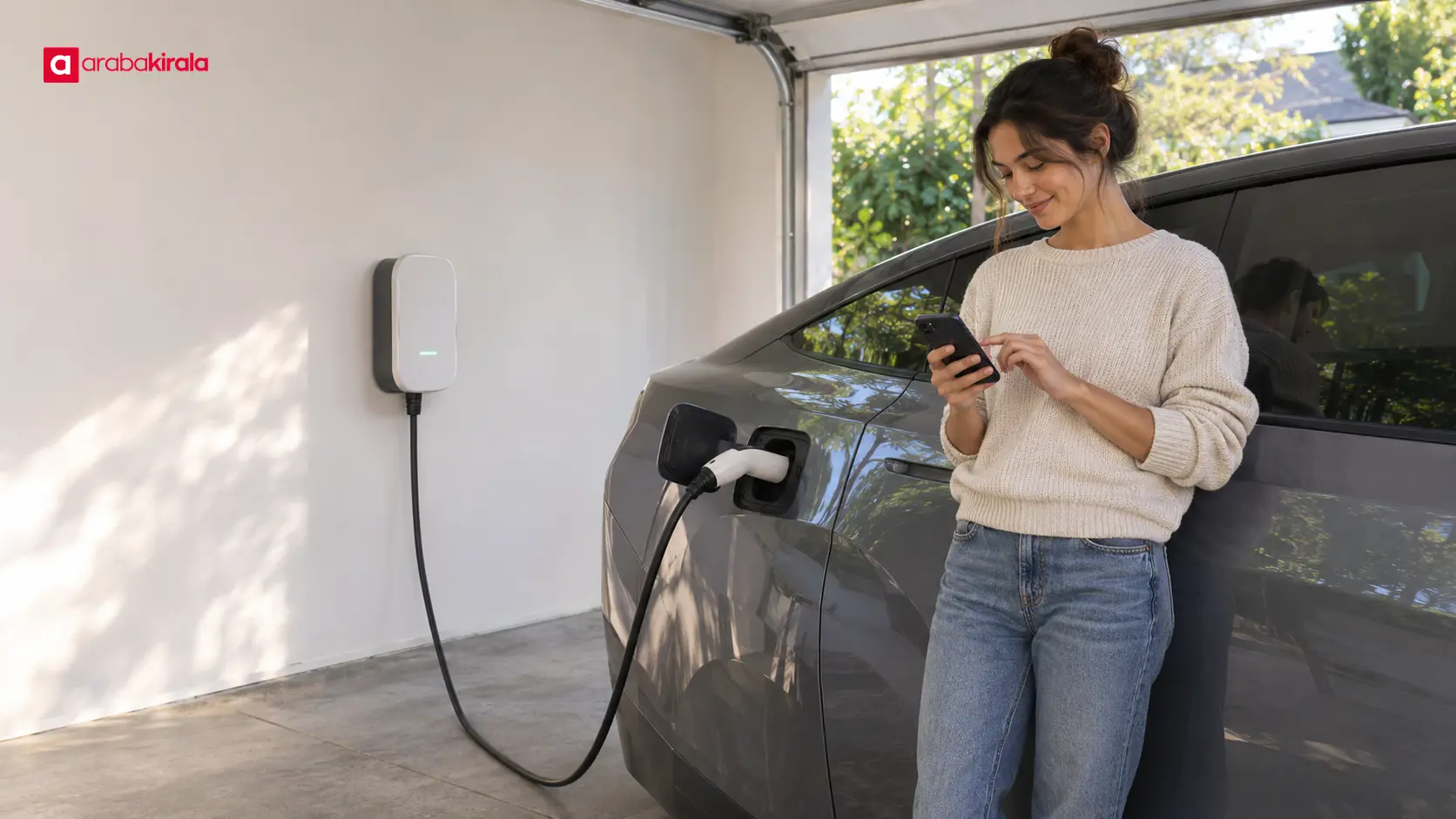
- Choose an available connection: If your home, workplace, or another accessible charging point supports scheduling, follow the equipment and vehicle instructions. Depending on the setup, timing may be managed in the vehicle, charger, or app.
- Choose which setting controls the plan: Separate schedules in both the vehicle and charger can conflict. Identify which system is managing the session and avoid creating overlapping plans without checking how they interact.
- Confirm connection and saved status: Check the vehicle or charger indicator to see that the cable is connected correctly. Confirm that the plan is active, the connection is recognized, and the session is waiting as expected.
- Update the plan when things change: Revise the schedule when your departure, parking location, or trip changes. A schedule left active for a long time may no longer fit your routine.
Checking whether the schedule is working
The vehicle display, its app, and the charger may use different terms for session status. “Connected,” “waiting,” “charging,” and “complete” do not mean the same thing. A vehicle can be connected while the scheduled start time is still in the future. If charging has not begun after the planned time, check whether the schedule is active, whether a location-based setting is selected, and what the connection indicator shows.
Remote app information may not refresh when connectivity is interrupted. Comparing it with the vehicle display and charger indicator gives you a more useful check. If an error appears, note its wording and follow the vehicle and equipment instructions for safely ending or retrying the session. Stop using damaged cables or equipment if you notice unusual heat, odor, or sparking, and seek qualified support.
Trip planning and public charging
Scheduled charging organizes the timing of an energy session; it does not show that a suitable charging point will be available throughout a trip. Before a longer drive, review charging locations along the route, access at your destination, and the vehicle’s estimated range under expected conditions. Location, weather, speed, load, and road profile can affect consumption, so treat a single range estimate as a planning aid rather than a certainty.
At public charging points, starting a session, payment, access, and availability depend on the specific point and service. Do not assume that the vehicle’s schedule manages those steps automatically. If you are renting an electric vehicle, ask the branch where you will collect it how the schedule is managed, what charging equipment is provided, and what charging access you may need. A brief demonstration at handover can clarify whether the feature depends on a location or user profile.
Common scheduling mistakes
- Assuming connected means charging: A connection indicator alone may not confirm that energy is flowing. Check the session status separately.
- Creating conflicting schedules: If the vehicle and charger expect different times, a session may not start. Identify which setting controls it.
- Forgetting an old departure time: Review the schedule when your routine changes and confirm that the saved setting is current.
- Treating estimates as exact: Charging time and range vary with starting level, power, and conditions. Use the displays as planning information.
- Relying only on the app: Network or synchronization issues can delay app updates. Check the vehicle and charger indicators too.
Summary and next step
Scheduled charging is a convenience for planning when charging begins or runs; a charge target and estimated readiness time are separate settings. Build a daily plan around your departure, expected use, and accessible charging point. After plugging in, confirm that the setting is active and review the session status. If you are using a rental vehicle, ask the branch where you will collect it about the vehicle-specific menu and charging access.
Frequently Asked Questions
Is scheduled charging the same as timed charging?
Labels vary by vehicle and menu. In general, both terms refer to planning a charging session to begin at a particular time or run during a selected window. Check the owner’s manual to confirm what the option on your vehicle does.
Can scheduled charging work when the vehicle is not plugged in?
Energy transfer requires a compatible charging source to be connected. Scheduling sets when a session should happen after connection; it does not charge the vehicle by itself.
What should I check if charging does not start as scheduled?
Review whether the plan is active, the start time, the vehicle and charger indicators, and whether the connection is recognized. If both systems have separate schedules, check for a conflict and consult the equipment instructions for any error message.
Does entering a departure time fully charge the battery by then?
It is a planning feature intended to align readiness with a selected time, not a guarantee of a particular charge level. Starting level, charging power, target setting, and connection conditions all affect the result.
How do I learn to schedule charging in a rental electric vehicle?
At handover, ask for a brief demonstration and find out whether timing is managed in the vehicle, app, or charger. Confirm vehicle- or branch-specific information about the equipment and charging access with the branch where you will collect the car.